
EOFY IT Checklist for Australian Businesses
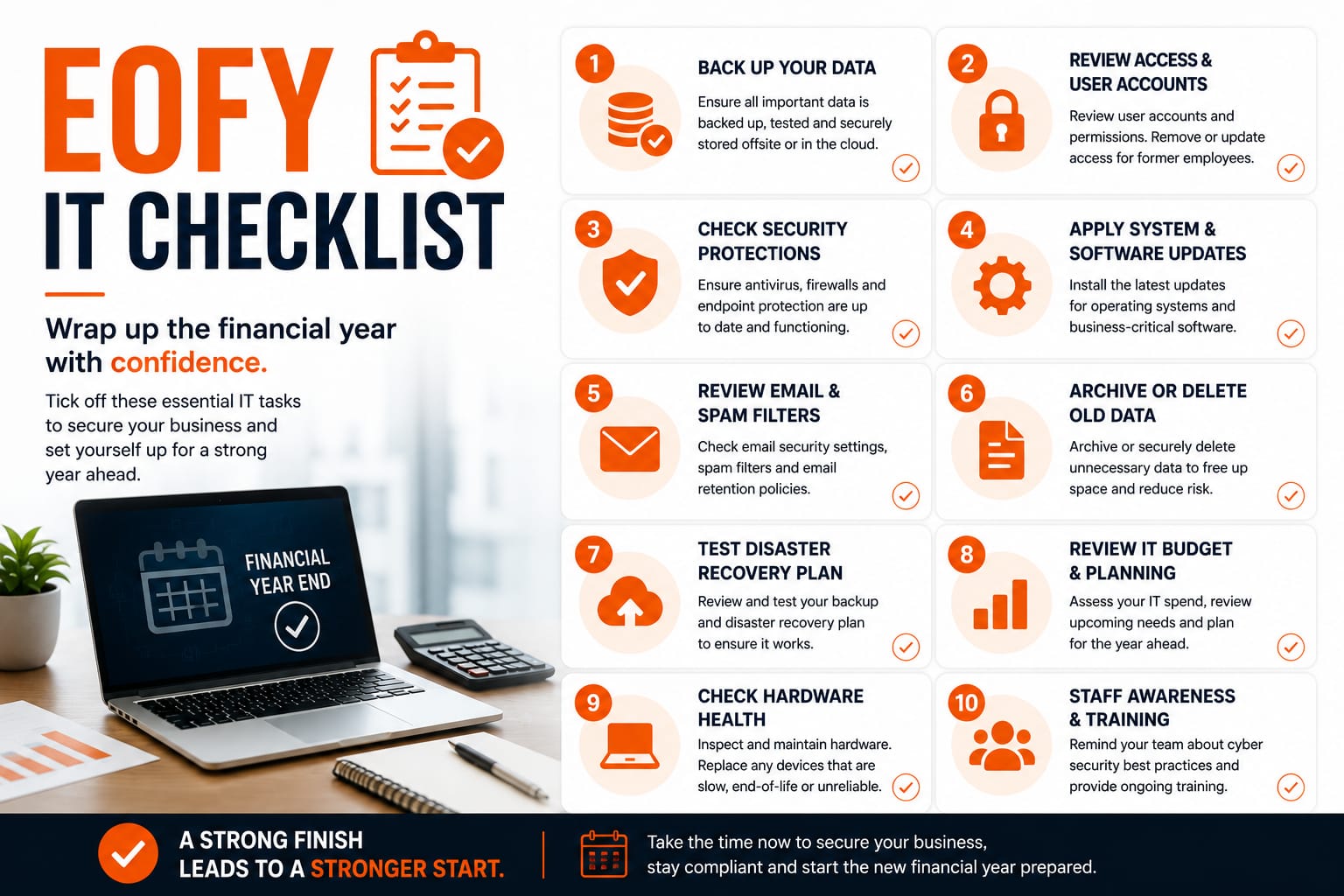
Is your business technology ready for the new financial year? Our comprehensive EOFY IT Checklist covers 10 essential areas to prepare your business technology for the new financial year.
EOFY IT Checklist for Australian Businesses
Is your business technology ready for the new financial year? As we approach the end of the financial year (EOFY), it's the perfect time to review and optimize your IT infrastructure. This comprehensive checklist covers 10 essential areas to ensure your business technology is secure, compliant, and ready for the year ahead.
1. Hardware Review
Conduct a thorough audit of all company hardware including computers, servers, printers, and networking equipment. Identify aging devices that may need replacement or upgrades. Check for warranty expiration dates and plan for hardware refresh cycles. Ensure all devices meet current security standards and are capable of running necessary software.
2. Microsoft 365 Licensing
Review your Microsoft 365 subscriptions and user licenses. Ensure you have the correct license types for each user's role and requirements. Remove licenses from departed employees and reassign them where needed. Audit add-on licenses and consider consolidating or upgrading plans to better suit your business needs. Verify compliance with licensing agreements.
3. User Access Review
Conduct a comprehensive audit of user access rights and permissions across all systems. Remove access for departed employees and contractors. Review and update access levels for current staff based on role changes. Implement the principle of least privilege to minimize security risks. Document all access changes for compliance purposes.
4. Backup and Disaster Recovery
Test your backup systems to ensure all critical data is being backed up properly. Verify backup integrity and recovery procedures. Review your disaster recovery plan and update it based on any business changes. Ensure backups are stored securely and off-site. Document recovery time objectives (RTO) and recovery point objectives (RPO) for critical systems.
5. Cybersecurity Assessment
Conduct a security audit of your IT infrastructure. Review and update firewall rules and network security policies. Ensure all systems have current antivirus and anti-malware protection. Review email security and spam filtering settings. Assess vulnerability management processes and patch management procedures. Consider conducting a penetration test or security assessment.
6. Network Review
Audit your network infrastructure and connectivity. Review network performance and identify bottlenecks. Check for unauthorized devices on the network. Update network documentation and diagrams. Review Wi-Fi security settings and change default passwords. Assess network capacity for the coming year and plan for upgrades if needed.
7. Software Subscriptions and Licenses
Review all software subscriptions and licenses across the organization. Identify unused or underutilized software and consider canceling subscriptions. Verify compliance with software licensing agreements. Update software inventory and document license expiration dates. Plan for software renewals and budget accordingly.
8. IT Purchases and Budget Planning
Review IT spending from the past financial year. Plan IT purchases and upgrades for the coming year. Budget for hardware replacements, software licenses, and IT services. Consider cloud migration opportunities and cost savings. Evaluate new technologies that could improve business efficiency.
9. Disaster Recovery and Business Continuity
Review and test your disaster recovery procedures. Ensure all critical business processes have documented recovery procedures. Test failover systems and backup systems. Update business continuity plans based on organizational changes. Conduct disaster recovery drills with relevant staff. Document lessons learned and update procedures accordingly.
10. IT Support Arrangements
Review your current IT support arrangements and service level agreements (SLAs). Assess whether current support levels meet your business needs. Evaluate IT service providers and consider alternatives if needed. Plan for IT staffing needs for the coming year. Ensure IT support contacts and escalation procedures are documented and communicated.
Conclusion
By working through this EOFY IT Checklist, you'll ensure your business technology is secure, compliant, and optimized for the new financial year. Regular IT reviews help prevent security breaches, reduce downtime, and improve overall business efficiency. If you need assistance with any of these areas, consider engaging with a professional IT service provider to conduct a comprehensive IT audit and provide recommendations tailored to your business needs.
Need Help with Your Business IT?
Ready to implement these strategies? Our expert team at Defy IT can help you build a resilient, secure IT environment tailored to your specific business needs.
Contact Us TodayReading up on it management? Explore our Managed IT Support services or see how we help accounting firms.